
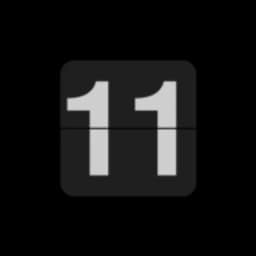
Tangkapan layar
Tentang FlipClock
FlipClock mengubah perangkat Android Anda menjadi tampilan jam flip yang elegan. Dibangun dengan kesederhanaan sebagai fokus utama, aplikasi ini memberikan pengalaman penunjuk waktu tanpa distraksi, tanpa izin yang tidak perlu atau iklan yang mengganggu.
Beralih antara format 12 dan 24 jam dengan ketukan ganda cepat. Putar perangkat Anda untuk beralih antara mode lanskap dan potret, menyesuaikan tampilan sesuai preferensi Anda. Antarmuka yang bersih menempatkan jam sebagai fokus utama, dengan animasi flip yang memuaskan yang bertransisi dari jam ke menit.
Aplikasi ini bekerja sangat baik pada ponsel Android lama dengan layar LCD, memberikan mereka kehidupan kedua sebagai jam meja khusus atau tampilan samping tempat tidur. Jika Anda menggunakan ponsel yang lebih baru dengan layar OLED, jaga sesi penggunaan tetap moderat untuk menghindari potensi burn-in layar dalam jangka waktu yang lama.
Basis kode open-source mencerminkan komitmen terhadap transparansi dan keamanan. Anda tahu persis apa yang dilakukan aplikasi ini, tanpa pelacakan tersembunyi atau pengumpulan data—hanya tampilan jam yang andal. Konsumsi sumber daya yang minimal berarti aplikasi ini berjalan dengan lancar di berbagai versi Android, mulai dari Android 4.1 dan seterusnya.
FlipClock cocok untuk siapa saja yang mencari aplikasi jam tanpa embel-embel: pekerja shift yang membutuhkan jam di samping tempat tidur, kantor yang menginginkan tampilan lobi, atau siapa pun yang menghargai nostalgia jam flip bergaya analog di ponsel mereka. Unduh FlipClock hari ini dan nikmati penunjuk waktu tanpa kerumitan.
Kelebihan & Kekurangan
Kelebihan
- No ads or tracking—fully transparent open-source codebase
- Minimal permissions and resource usage across Android versions
- Ideal for repurposing older phones as dedicated desk or bedside clocks
- Simple, distraction-free interface with satisfying flip animations
Kekurangan
- OLED screen burn-in risk with extended use on newer phones
- No customization options beyond 12/24-hour format switching
- Limited functionality—designed as a clock display, not a full alarm app
- Landscape and portrait rotation tied to device orientation, not manual toggle
Pertanyaan umum tentang FlipClock
Apakah FlipClock aman untuk diunduh?
Laporan pemindaian malware untuk versi FlipClock ini belum tersedia di Unstore. Instal file hanya dari sumber tepercaya dan biarkan perlindungan keamanan perangkat Anda tetap aktif.
Apa saja persyaratan sistem untuk FlipClock?
FlipClock berjalan di Android. Ukuran unduhannya 3.5 MB.
Apa versi terbaru FlipClock?
Versi terbaru FlipClock di Unstore adalah 1.1.1. Terakhir diperbarui pada 10 Agustus 2026.
Siapa pengembang FlipClock?
FlipClock dikembangkan oleh Alynx Zhou.
Aplikasi Terkait

HWiNFO
Pemantauan perangkat keras untuk Windows—lacak suhu CPU, beban GPU, kecepatan kipas, voltase secara real-time.

TransMac
Baca drive Mac dan file DMG di Windows. Akses penyimpanan APFS/HFS+ dan buat image disk.

Advanced SystemCare Free
Alat optimasi sistem: bersihkan, perbaiki, dan lindungi PC Anda. Hapus malware, perbaiki error, dan tingkatkan performa.

Display Driver Uninstaller (DDU)
Penghapus driver untuk GPU dan audio — menghapus file sisa untuk pembaruan Windows yang bersih

Glary Utilities
Rangkaian perawatan dan optimasi PC — bersihkan, perbaiki, dan tingkatkan kecepatan komputer Windows Anda dalam satu tindakan.

Universal ADB Drivers
Driver ADB untuk Android: Hubungkan smartphone apa pun ke PC Windows tanpa software pabrikan.
Artikel terbaru

Pengonversi angka Romawi gratis online: instan, tanpa daftar, bekerja di ponsel Anda
Oct 6, 2026

Papan tulis online gratis seperti Jamboard: gunakan Quickboard di browser Anda, tanpa pendaftaran
Oct 6, 2026

Mainkan permainan Color Ball Sort Puzzle gratis di browser (tanpa unduhan)
Oct 6, 2026

Mainkan kart racer gaya Beach Buggy Racing gratis di browser (tanpa unduhan)
Oct 6, 2026

Mainkan game bergaya Alto's Adventure gratis di browser (tanpa unduhan)
Oct 6, 2026